> ## Documentation Index
> Fetch the complete documentation index at: https://docs.retellai.com/llms.txt
> Use this file to discover all available pages before exploring further.
# Apply for branded call
> Apply for Retell branded calling on US numbers so callers see your business name instead of a phone number — boost answer rates and reduce "Spam Likely".
*Only available for U.S. numbers at this time*
Branded call displays your business name instead of a phone number when you call your customers. It increases trust and answer rates by helping recipients identify your business. See the [spam likely overview](/build/telephony/call_efficiency_overview) for how caller ID services raise your pickup rate.
 > **Important:** Without a verified phone number, your calls may be marked as "Spam Likely". We recommend enabling a [verified phone number](/build/telephony/verified-phone) so your business name displays correctly.
## Setup process
### Step 1: Create a business profile
Follow the [Business Profile](/build/telephony/business-profile) guide to create and verify your business profile.
### Step 2: Apply for branded call
1. Navigate to the Branded Call section
2. Select your verified business profile
3. Enter your desired business name display
> **Important:** Without a verified phone number, your calls may be marked as "Spam Likely". We recommend enabling a [verified phone number](/build/telephony/verified-phone) so your business name displays correctly.
## Setup process
### Step 1: Create a business profile
Follow the [Business Profile](/build/telephony/business-profile) guide to create and verify your business profile.
### Step 2: Apply for branded call
1. Navigate to the Branded Call section
2. Select your verified business profile
3. Enter your desired business name display
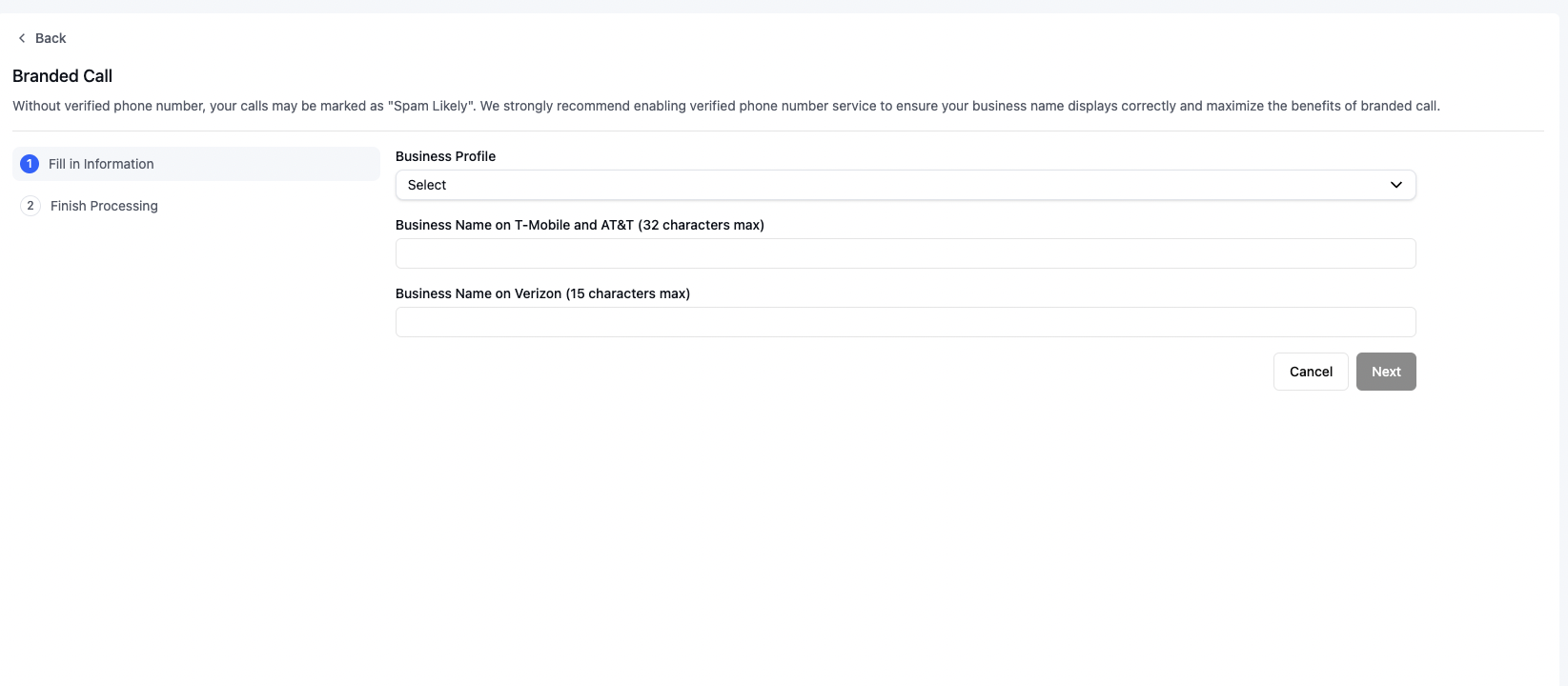 Please allow 1-2 weeks for your application to be processed.
## Business name requirements
Different carriers have varying character limits for business names:
* T-Mobile: Up to 32 characters
* AT\&T: Up to 32 characters
* Verizon: Up to 15 characters
You can provide both a short name (for carriers with lower character limits) and a long name (for carriers that support longer displays).
## FAQ
Branded call is available for U.S. numbers only at this time.
Allow 1-2 weeks for your application to be processed.
They're separate services. Branded call shows your business name, but without a [verified phone number](/build/telephony/verified-phone) your calls may still be marked "Spam Likely". We recommend enabling both.
Each carrier sets its own character limit: T-Mobile and AT\&T allow up to 32 characters, Verizon up to 15. Provide a short and a long name so the right version shows on each carrier.
You'll receive an email notification. Review the reason on your phone detail page, fix the issues, and resubmit. See [how to handle a rejection](/build/telephony/branded-call-rejection).
You can stop the service at any time without interrupting calls. See [stop caller ID service](/build/telephony/delete-service).
Please allow 1-2 weeks for your application to be processed.
## Business name requirements
Different carriers have varying character limits for business names:
* T-Mobile: Up to 32 characters
* AT\&T: Up to 32 characters
* Verizon: Up to 15 characters
You can provide both a short name (for carriers with lower character limits) and a long name (for carriers that support longer displays).
## FAQ
Branded call is available for U.S. numbers only at this time.
Allow 1-2 weeks for your application to be processed.
They're separate services. Branded call shows your business name, but without a [verified phone number](/build/telephony/verified-phone) your calls may still be marked "Spam Likely". We recommend enabling both.
Each carrier sets its own character limit: T-Mobile and AT\&T allow up to 32 characters, Verizon up to 15. Provide a short and a long name so the right version shows on each carrier.
You'll receive an email notification. Review the reason on your phone detail page, fix the issues, and resubmit. See [how to handle a rejection](/build/telephony/branded-call-rejection).
You can stop the service at any time without interrupting calls. See [stop caller ID service](/build/telephony/delete-service).