

Overview
Retell provides official SDKs for Node.js and Python to simplify integration with our platform. While you can use our REST API directly, our SDKs offer:- Type safety: Full TypeScript support with autocomplete
- Simplified authentication: Built-in API key handling
- Error handling: Structured error responses with detailed messages
- Reduced boilerplate: Cleaner, more maintainable code
Available SDKs & Requirements
Node.js TypeScript SDK
- Package: retell-sdk on NPM
- Requirements: Node.js version 18.10.0 or higher
- Features: Full TypeScript support, async/await, promise-based API
Python SDK
- Package: retell-sdk on PyPI
- Requirements: Python 3.9 or higher
- Features: Type hints, async support, comprehensive error handling
1
Get Your API Key
Navigate to the “API Keys” tab in your dashboard to obtain your API key.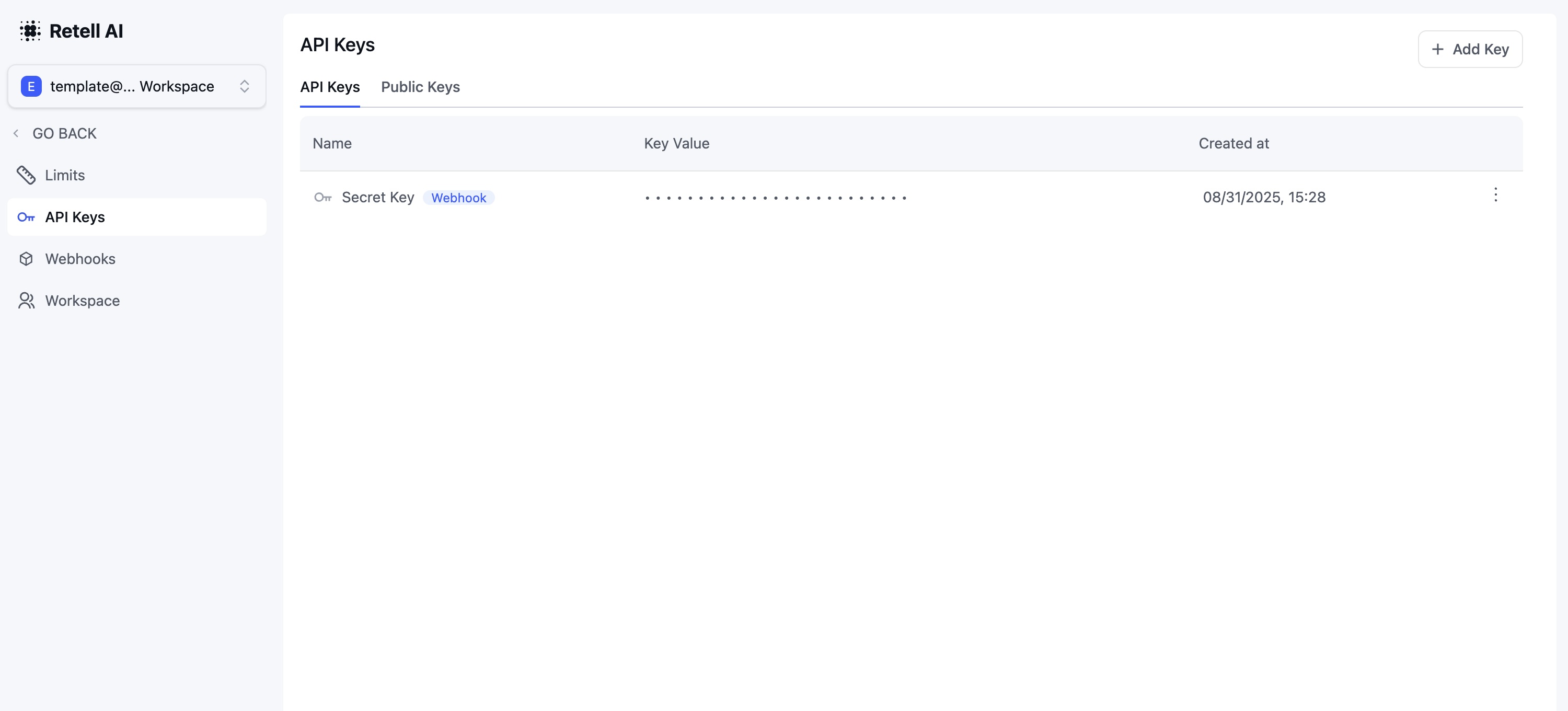
2
Install the SDK
Choose your preferred language and install the SDK:
3
Initialize the Client
Create a new client instance using your API key:
4
Make API Calls
Here’s an example of making a phone call using the SDK:
Versioning
The current release is 6.0.1 (14 September 2026), published asretell-sdk on both npm and PyPI.
The version number tracks releases, not compatibility, and the major version no longer changes: 6.0.0 is the last major release, because a major bump would only hold your dependency tooling back from an upgrade you need. One release can add endpoints and drop retired ones at the same time, and holding an older version doesn’t keep the old behavior: the API changes on the server, so an old client stops matching what the API accepts. Run the latest release, and follow the deprecation notices — by RSS if you want them as they’re announced — because that’s where a change that affects your code is announced ahead of time.
Each release notes what changed, with any removed methods listed under breaking changes: TypeScript releases and Python releases.
Create an agent with the TypeScript SDK
Creating a voice agent requires a response engine and an agent configuration. Follow the end-to-end TypeScript guide to create both resources, test the draft, and publish a version.Best Practices
1. Error Handling
Always wrap SDK calls in try-catch blocks to handle potential errors gracefully:2. Environment Variables
Store your API key securely using environment variables:3. Type Safety
Leverage TypeScript types for better developer experience:Rate Limits
Limits apply per organization + route, enforced at the HTTP layer.
Outbound calls are also subject to CPS limits (excess calls are queued, not rejected) and the per-org concurrent call limit.
429 Response
X-RateLimit-Limiter identifies which limiter fired: general, list, call, call-error, or llm-playground.
Handling 429s
- Use
RateLimit-Reset(seconds) for backoff; retry with jittered exponential backoff. - Don’t parallelize
list-*calls — the per-route budget is small. - For high call volume, design around CPS rather than HTTP throughput.