

SIP headers are available for phone calls only. Retell receives SIP headers on inbound calls, and sets them on outbound calls, transfers, and agent hangups.
Parse custom SIP headers for inbound calls
For inbound calls, custom SIP headers (those starting withX- or x-) are received and extracted automatically into call.custom_sip_headers. They are also added to your dynamic variables, where you access them by stripping the X- or x- prefix. No configuration is needed.
For example, if this is the SIP header received for an inbound call:
call.custom_sip_headers field, and they will be added to your dynamic variables.
Set custom SIP headers for outbound calls
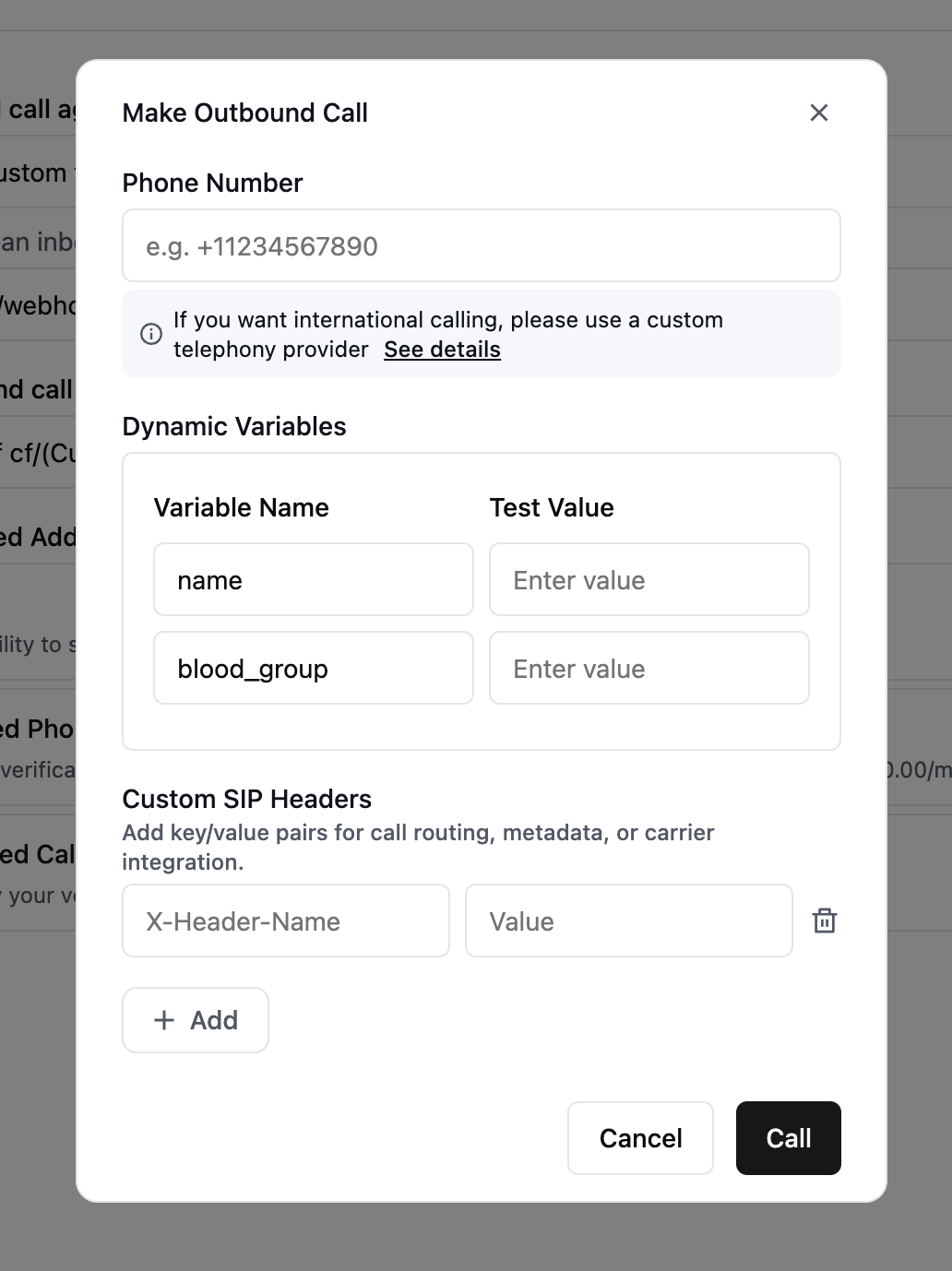
X-.
Set custom SIP headers for call transfers
For call transfers, header names must start withX- or x-, or be User-to-User or Diversion (case-insensitive). You can use a dynamic variable for the header value to pass information extracted from the call to the receiving party.
If you are using:
- Conversation flow agents, check out call transfer node for more details.
- Single / multi agent, check out call transfer function for more details.
Set custom SIP headers when ending a call
Use end-call headers to pass a call outcome or reference ID to your SIP system when the agent hangs up through an End Call tool or end node. These headers are optional; none are configured by default. For example, after booking an appointment, sendX-Call-Outcome with the value booked and X-Appointment-ID with the value {{appointment_id}}. Set the appointment_id dynamic variable during the conversation before ending the call. Retell resolves the value when the tool or node executes.
1
Open the end-call settings
For a single- or multi-prompt agent, add or edit the End Call tool. In a conversation flow, select an end node and open its settings. You can also configure headers on an End Call tool attached to a subagent node.
2
Add header names and values
Under Custom SIP Headers, click Add for each key/value pair. Use a literal header name beginning with
X- or x-, and a static string or dynamic variable for its value.3
Save the headers
Save the End Call tool. End-node headers save when you leave the edited field. To stop sending a header, remove its row; remove all rows to clear the configuration.
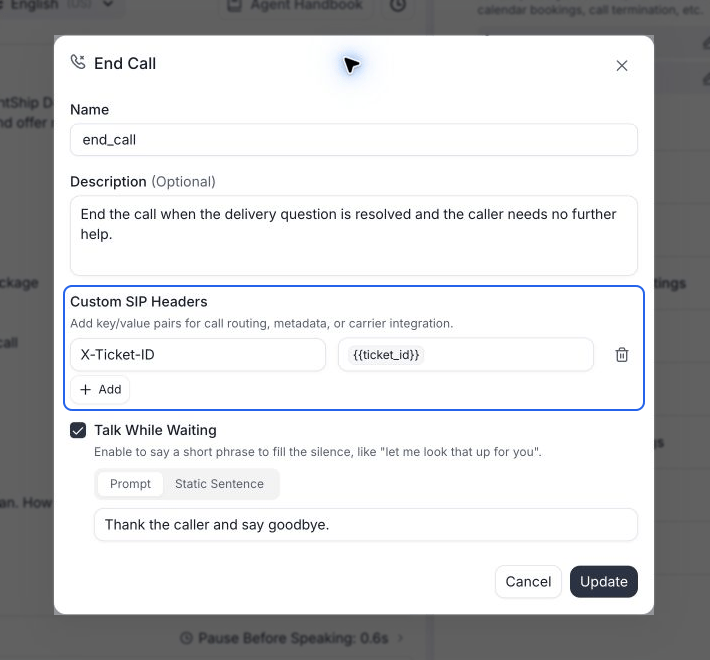
Use a dynamic variable to send the ticket ID when the agent ends the call.
Which header names are allowed?
End-call header names must start withX- or x-. Unlike transfer headers, User-to-User and Diversion are not allowed. Standard headers such as Reason are also rejected.
The dashboard blocks saving a row with a value but no name, an unsupported name, or a duplicate name. Names are compared without case, so X-Ticket and x-ticket count as duplicates. Correct the name or remove the duplicate row, then save again.
These settings apply when the configured tool or node ends a phone call. They do not apply to chat or to a caller hanging up first.